
Download Watermelon Game – Free Addictive Merging Puzzle for Windows, Mac, Android & iOS
Why Watermelon Game Stands Out in the Puzzle‑Arcade Space
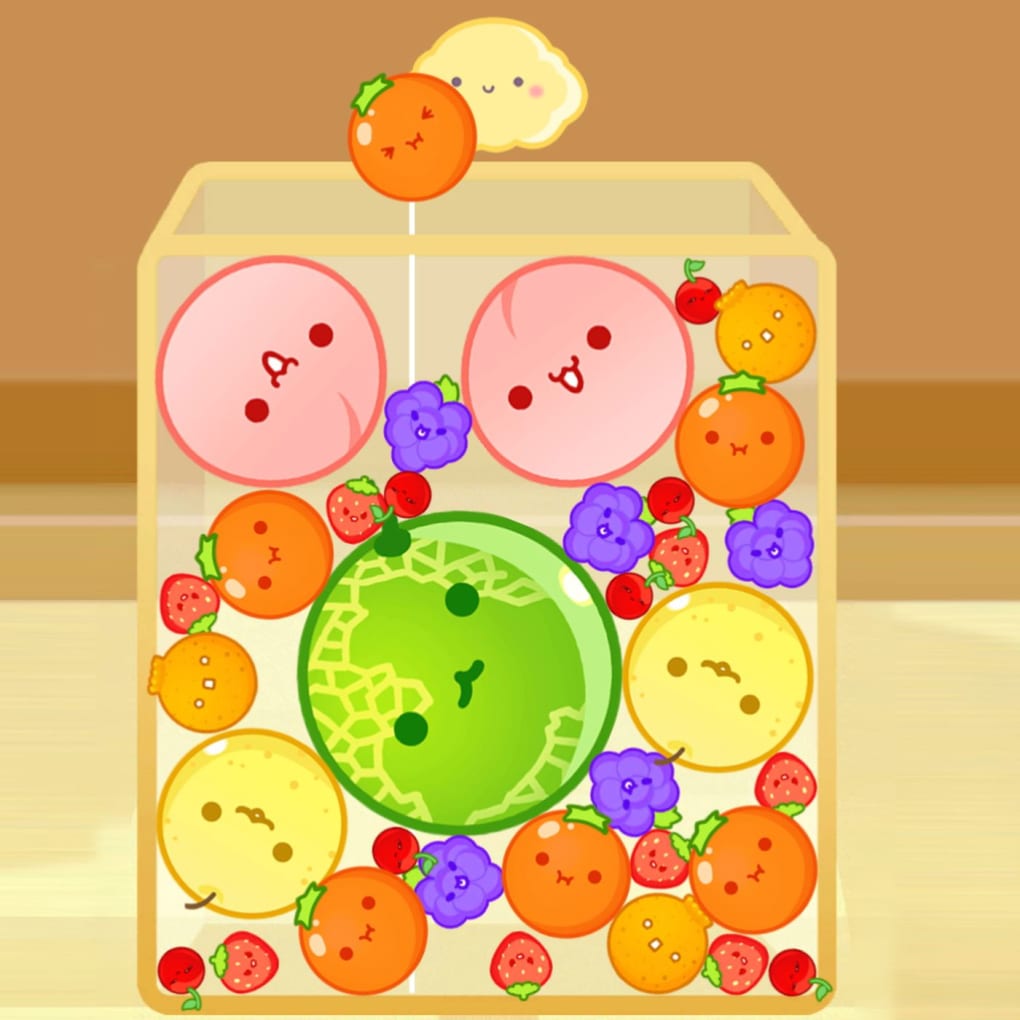
Watermelon Game, originally released in Japan as Suika Game, has become a surprise hit among casual gamers worldwide. Developed by BOGN Studio, this free‑to‑play merging puzzle blends the strategic depth of 2048 with the charming art style of titles like Cut the Rope and The Battle Cats. The core loop is elegantly simple: combine two identical fruits or objects, watch them fuse into a larger item, and keep the chain going until the screen fills. Every successful merge awards points, and the ever‑growing stack of items creates a visual cascade that feels both satisfying and increasingly challenging.
The game’s addictive nature stems from three main pillars. First, the physics‑based movement of the fruit pieces creates unpredictable rolls and bounces, turning each drop into a mini‑puzzle. Second, chain reactions can trigger massive combos that boost your score and clear space, rewarding forward‑thinking placement. Third, the ever‑expanding roster of items—from tiny cherries and strawberries to walnuts, planets, and sliced fruit—adds visual variety without compromising the core mechanics.
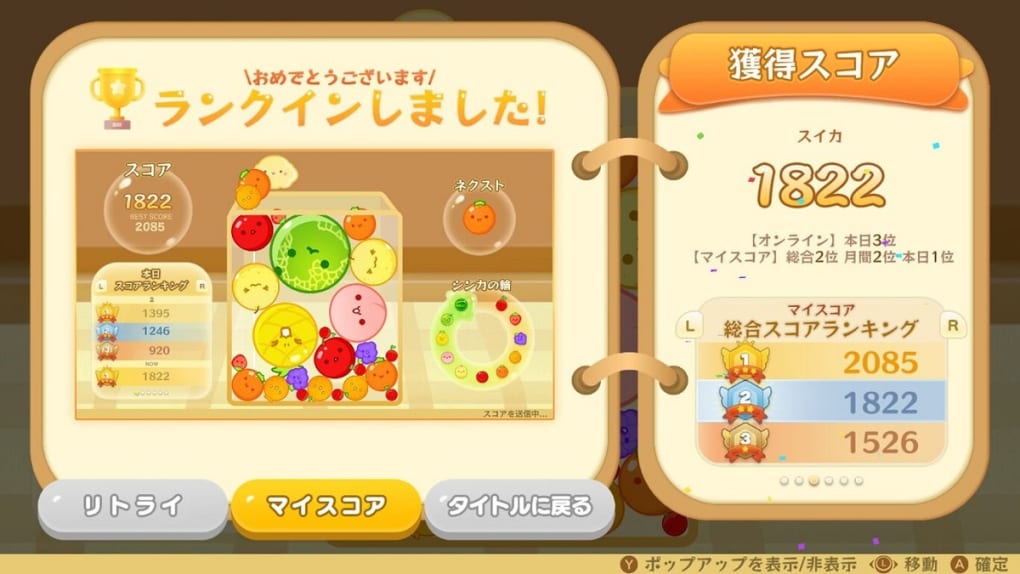
While the experience is single‑player and lacks an online leaderboard, it does keep a personal‑best record, allowing you to chase your own high scores. The biggest downside is the frequency of ads, which can interrupt the flow, but the overall design, cute graphics, and simple controls make Watermelon Game a worthwhile download for anyone seeking a quick yet deep brain teaser on any device.
Key Features That Make Watermelon Game Worth Downloading
Feature List
- Free-to‑play with optional in‑app purchases for ad‑free experience.
- Intuitive drag‑and‑drop controls optimized for touch and mouse.
- Physics‑driven fruit movement that creates realistic rolls and bounces.
- Chain‑reaction combos that generate extra points and clear space.
- Progressively expanding item catalog: cherries, strawberries, walnuts, planets, sliced fruit, and more.
- Endless mode with no time limit—play until the screen is full.
- Personal best tracking to motivate repeat play.
- Cross‑platform availability: Windows, macOS, Android, iOS, and web browsers.
- Regular updates that introduce new visual themes and seasonal items.
- Lightweight installation package under 50 MB, ensuring fast download and secure updates.
Each of these features has been designed with accessibility in mind. The UI is clean, with large, colorful icons that are easy to read on both small smartphone screens and larger desktop monitors. The game also supports portrait and landscape orientations on mobile devices, letting you choose the layout that feels most comfortable. Because the core algorithm is lightweight, the game runs smoothly even on older hardware, making it a secure choice for users who want a reliable, low‑impact app.
Beyond the basic merging mechanic, Watermelon Game introduces subtle strategic layers. Larger items create gaps that can be exploited to fit smaller fruits, while certain combos release a burst of smaller pieces that can be used to fill tight spots. These nuances keep the gameplay fresh after dozens of hours, encouraging players to experiment with placement and timing rather than relying on rote patterns.
How to Install, Play, and What to Expect on Different Platforms
Step‑by‑Step Installation Guide
Downloading Watermelon Game is straightforward on all supported platforms. For Windows and macOS, visit the official website or a trusted app store, click the “Download” button, and run the installer. The installer checks for necessary permissions, then places the app in your standard applications folder. On Android, open the Google Play Store, search for “Watermelon Game,” and tap “Install.” iOS users can find the game in the Apple App Store with the same process. The web version requires no download—simply navigate to the official browser URL, and the game loads instantly thanks to HTML5 and WebAssembly optimization.
After installation, launch the app and you’ll be greeted by a short tutorial that explains the drag‑and‑drop mechanic, how merges work, and where the score counter is located. The tutorial can be skipped if you’re already familiar with merging puzzles. Once inside, the main screen displays a grid where new fruit objects drop from the top. Tap or click the falling piece, move it left or right, and release to let it settle. When two identical items touch, they automatically merge into the next larger object, freeing up space and adding points.
Compatibility and System Requirements
Watermelon Game is built with cross‑platform compatibility in mind. It runs on the following operating systems:
Windows 10 or later, macOS 10.13+, Android 5.0+, iOS 11+, and any modern web browser (Chrome, Firefox, Edge, Safari). The game requires a minimum of 2 GB RAM and 50 MB of free storage for cache and updates. Because the graphics are vector‑based with optional raster assets, performance remains smooth even on low‑end devices, making it a secure and reliable choice for a broad audience.
Pros and Cons – Quick Reference
- Pros:
- Completely free with an optional ad‑free purchase.
- Easy to learn, hard to master – perfect for short sessions.
- Lightweight download and fast updates.
- Wide platform support (Windows, Mac, Android, iOS, browser).
- Visually appealing, cute fruit designs.
- Chain‑reaction combos add strategic depth.
- Cons:
- Frequent ads can disrupt gameplay.
- No global leaderboard – competition is limited to personal bests.
- Item variety, while decent, could expand further.
- Single‑player focus – no multiplayer mode.
Overall, the positives outweigh the drawbacks, especially for players who appreciate a quick, addictive puzzle without the pressure of online rankings.
Final Thoughts and Frequently Asked Questions
Watermelon Game delivers a polished, addictive experience that feels both fresh and familiar. Its blend of simple controls, physics‑driven movement, and ever‑growing item catalog ensures that players stay engaged for hours. While the ad frequency is a minor annoyance, the optional ad‑free purchase makes it easy to enjoy an uninterrupted session. Whether you’re on a desktop, a smartphone, or just browsing from a laptop, the game’s lightweight design and secure update mechanism guarantee a smooth, reliable experience. If you love merging puzzles, cute graphics, and a challenge that scales with your skill, this free app is definitely worth a download.
Ready to start merging? Click the download button for your platform, install the app, and dive into a world where tiny cherries become massive watermelons—one satisfying merge at a time.
Frequently Asked Questions
Is Watermelon Game truly free or are there hidden costs?
The core game is completely free. You may encounter ads, but there is an optional in‑app purchase that removes them permanently.
Can I play Watermelon Game offline?
Yes. After the initial download and first launch, the game runs entirely offline. Ads may require an internet connection, but the gameplay itself does not.
What devices are supported?
Watermelon Game is available on Windows 10+, macOS 10.13+, Android 5.0+, iOS 11+, and all modern web browsers.
Is there a way to track my high scores?
The game records your personal best locally. There is no global leaderboard, but you can always compare your current session to your stored high score.
How often does Watermelon Game receive updates?
The developers release updates roughly every 2–3 months, adding new visual themes, seasonal items, and performance improvements.
Review Summary: Watermelon Game is a charming, lightweight puzzle that offers endless replayability. The physics‑based merges and growing item catalog keep the experience fresh, while the occasional ads are the only real downside.



.png)



